For friends across cities

Look out for each other without watching each other.

CareBear turns ordinary phone motion into a quiet, mutual check-in. No GPS, no daily "I'm okay" messages, and no friend notifications unless a phone has been unusually still past its owner's chosen wait time.

No GPS No wearable No daily tap
Seattle · Chicago · Austin
Maya
Seattle · friend
"I want backup without making my day a status report."
Jordan
Chicago · friend
"A quiet nudge is enough. I don't need a live map."
Alex
Austin · friend
"If my phone goes quiet too long, check in like a friend."
The tension

The usual check-in options ask friends to give something up.

Friends want more than an unanswered message, but they do not want a live map, a daily proof-of-life ritual, or an alert that assumes the worst.

Live location

"I care. I don't need your live location."

A map gives friends more access than an everyday check-in requires.

Repeated check-ins

"Are we really going to tap 'I'm okay' every day?"

Manual rituals only work while everyone remembers to keep doing them.

Emergency-style alerts

"A quiet phone is not automatically an emergency."

The useful response is often a friendly hello, not a siren.

CareBear is the useful middle between repeated messages and live location sharing Three comparison cards. Guessing and repeated messages provide too little context. CareBear provides recent activity, a chosen wait time, and a prepared backup plan without sharing location. Live location and surveillance provide too much access. THE USEFUL MIDDLE Enough context to check in. Not enough access to watch. TOO LITTLE CONTEXT Guessing and repeated messages Friends keep checking because there is no useful signal. CAREBEAR CareBear's middle ground Recent activity Chosen wait time Prepared backup plan No live location shared TOO MUCH ACCESS Live location and surveillance More access than a friend check-in actually needs. Quiet while activity looks normal. A lost contact alert only after the chosen wait time passes. CareBear is the useful middle between repeated messages and live location sharing Three vertically stacked comparison cards. Too little context is guessing and repeated messages. The highlighted CareBear card provides recent activity, a chosen wait time, and a prepared backup plan without live location. Too much access is live location and surveillance. THE USEFUL MIDDLE Context without surveillance TOO LITTLE CONTEXT Guessing & repeated messages Friends keep checking because there is no signal. CAREBEAR CareBear's middle ground Recent activity Chosen wait time Prepared backup plan No live location shared TOO MUCH ACCESS Live location & surveillance More access than a friend check-in needs. Quiet by default. Alert only when needed.
The privacy boundary

A signal passes through. A location trail never does.

CareBear uses the phone's existing motion activity to share a simple activity type and time. GPS coordinates are not part of the flow.

Maya's phone

Running 11:30 AM
Walking 10:42 AM
Driving 9:15 AM
Cycling 8:27 AM
Walking 7:54 AM
Running 11:30 AM

CareBear

CareBear shares the most recent motion activity with approved friends without sharing location.
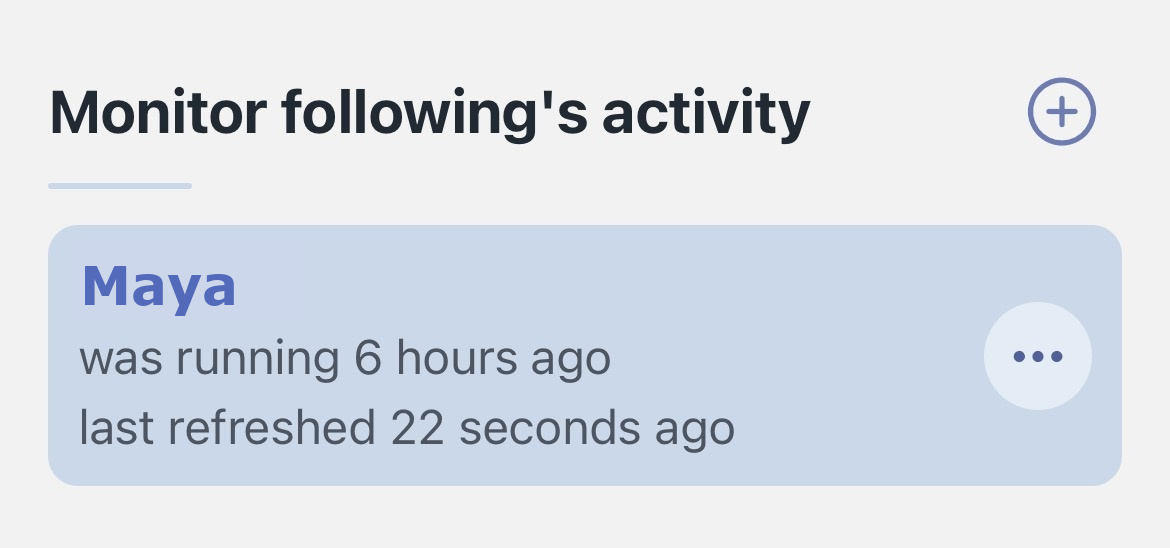
Jordan's CareBear screen

Maya was running 6 hours ago. Last refreshed 22 seconds ago.

Alex's CareBear screen

Maya was running 6 hours ago. Last refreshed 22 seconds ago.
Activity passes through. Location stays private.
What friends see

Three clear states. Never a map.

CareBear translates motion signals into simple context. It tells friends what the phone last noticed, not where the person is.

Recently active

Maya's phone reported walking

4 hours ago

Timer reset · No nudge
Quiet, still waiting

No recent activity yet

18 hours remain

Watching the timer · No nudge
Wait time passed

Lost contact alert

Maya's prepared backup plan is ready

Jordan and Alex are notified
Simple context, not a live view.Friends see what the phone last noticed, not where anyone is.
No GPS Maps stay out Route history stays out
Set it once

Each person chooses who, when, and what.

The setup is short because the product is designed to disappear into normal life afterward.

01

Create followers

Add your trusted people as followers so they can receive your lost contact alert.

02

Set up delayed message

Select number of days you want CareBear to wait before sending out lost contact alert. Set a custom message you want to include in lost contact alert. It can be anything you want your follower to be aware of, such as pet care notes, school pickup details, neighbor contacts.

03

CareBear will take care of the rest

CareBear quietly uses your phone's motion activity, so your followers can know you were recently active. If you stop moving past your wait time, CareBear alerts your followers and sends them delayed messages.

Then everyone goes back to normal life.
No daily check-in
No device to wear
No map to manage
Why CareBear is mostly silent

Normal motion resets the timer. Only prolonged stillness crosses the threshold.

The default experience is a simple check-in confirmation, not an alarm. A lost contact alert only appears after prolonged stillness.

A normal week

Activity keeps returning Maya's timer to one day.

Maya does not need to tap anything. Her ordinary phone motion is enough.

1dtimer reset
Mon · 8:12 AM · WalkingRecent activity received
Timer returns to 1 day
Mon · 4:40 PM · WalkingRecent activity received
Timer returns to 1 day
Tue · 9:05 AM · WalkingRecent activity received
Timer returns to 1 day
CareBear sends "we checked you in"Jordan and Alex hear nothing
When one phone stays quiet

Stillness continues past Maya's chosen wait time.

The threshold is deliberate, not a constant stream of alarming notifications.

0hwait time reached
Last recent activity
Monday · 9:05 AM
1-day wait time
MonTueWed
Lost contact alert opensJordan and Alex are nudged
Why it feels different

Equal care, without equal access to everything.

Everyone gives and receives the same lightweight support, while keeping control of their own privacy and threshold.

For you

Support without a daily proof-of-life ritual.

You choose your followers, wait time, and what stays private.

For your friends

Enough context to know when a hello may be useful.

A low-pressure prompt to connect, not an activity feed to monitor.

For the circle

A small safety net that still feels like friendship.

Bidirectional by choice, mostly silent, useful when needed.
A QUIETER KIND OF SAFETY NET

Turn an unusual quiet stretch into a natural hello.

Create a mutual check-in circle with the people you trust. No GPS. No daily taps. Just a gentle reason to reach out when a phone has been quiet longer than expected.